

How to use the Wise Card in the Netherlands
Managing money across borders can be challenging when you live, work, or travel abroad. The Wise debit card is designed to simplify everyday payments by linking directly to a multi-currency account. It allows you to spend, withdraw cash, and convert money using the real exchange rate, with transparent and clearly displayed fees.

For expats, international students, and frequent travellers in the Netherlands, the Wise card offers a practical alternative to traditional bank cards, especially when dealing with multiple currencies or overseas expenses.
At a glance: Benefits of using the Wise card in the Netherlands
Key points:
| Feature | What it means for you |
|---|---|
| Multi-currency support | Hold and spend 40+ currencies from a single account and card |
| Clear conversion fees | Spend from existing balances or convert automatically with low, upfront fees |
| ATM withdrawals | Withdraw up to €200 per month with no Wise fee (limits apply) |
| Digital & mobile payments | Use a virtual card for online purchases or add the card to Apple Pay and Google Wallet |
| Security & control | Manage limits, freeze/unfreeze your card, and get instant transaction alerts in the app |
Can I get a Wise card in the Netherlands?
Yes. Residents of the Netherlands can order a Wise debit card once they have an active Wise account. The card works in the Netherlands and internationally, allowing you to pay for daily expenses such as groceries, dining, transport, and travel.
A one-time card fee of €7 applies. As soon as you order, a digital card is issued so you can start paying online or via mobile wallets while waiting for the physical card to arrive.
Wise cards also come with built-in spending and withdrawal limits. These limits apply per transaction, per day, and per month, and differ by payment type (chip and PIN, contactless, online payments, or ATM withdrawals). All limits are visible and adjustable in the Wise app.
Business users in the Netherlands can also request Wise business cards, which have separate limits and are designed for company expenses and contractor payments.
Using the Wise card for everyday transactions in the Netherlands
The Wise card works like a standard debit card for everyday spending, while offering additional flexibility for international users.
You can:
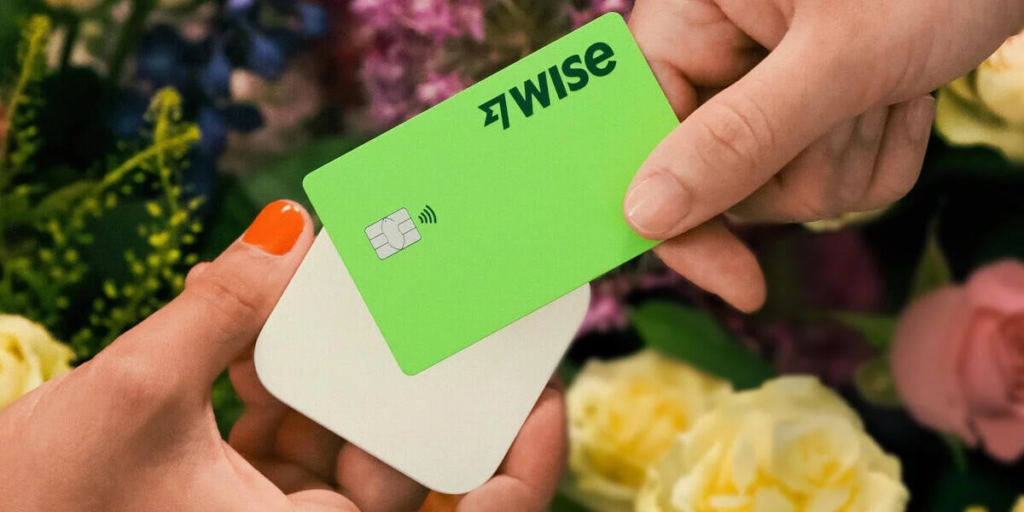
- Pay in stores using chip and PIN or contactless
- Use a digital card for online purchases
- Add the card to Apple Pay or Google Wallet for mobile payments
- Spend directly from the currency you hold, or let Wise convert automatically
All transactions appear instantly in the Wise app, where spending is grouped by category (for example, groceries, transport, or dining), helping you track expenses more easily.
Insider tip: OVpay
Public transport across the Netherlands now supports OVpay, which allows contactless payments with debit cards. Your Wise card can be used to tap in and out on trains, trams, metros, and buses, without needing a separate OV-chipkaart. This is particularly convenient for newcomers and short-term residents.
Managing your card with the Wise app
The Wise app acts as your control centre. From here, you can:
- Add money and check balances
- Convert currencies instantly at the mid-market rate
- Adjust spending and withdrawal limits
- Freeze or unfreeze your card immediately
- View transaction history and spending breakdowns
Security features include two-factor authentication, biometric login, and real-time transaction notifications. Whether you’re in the Netherlands or travelling abroad, your account access remains the same.
How do I put money on my Wise card?
Before using the card, you need to add funds to your Wise account. Depending on the currency and country, you can usually top up via:
- Bank transfer
- Debit card
- Credit card
- Selected mobile payment methods
Cash deposits via ATMs are not supported. Once funds are available in your account, your Wise card can be used immediately for payments or withdrawals.
Wise card fees in the Netherlands
Wise uses a transparent pricing model. Some services are free, while others incur small, clearly disclosed charges.
Wise card pricing (Netherlands):
| Item | Fee |
|---|---|
| Card order | €7 (one-time) |
| Express delivery (optional) | €10.40 |
| Monthly or annual fee | None |
| Spending | No Wise fee if paying from the same currency balance; conversion fees from ~0.47% |
| ATM withdrawals | Free up to €200/month (2 withdrawals), then €0.50 + 1.75% |
| Digital card | Free |
| Replacement card | €4 |
| Expired card replacement | Free |
Information checked: October 2025.
Is the Wise card safe to use?
Yes. The Wise card includes multiple security layers to protect your money. If your card is lost or stolen, you can freeze it instantly in the app and order a replacement.
Good security practices include:
- Keeping app notifications enabled
- Freezing the card immediately if misplaced
- Never sharing your PIN or account details
- Using ATMs in well-lit, secure locations
- Reviewing spending categories regularly
How to get a Wise card in the Netherlands
Ordering a Wise card can be done online or through the app.
Steps:
- Open a Wise account
- Verify your identity with an accepted ID and proof of address
- Pay the one-time €7 card fee
- Receive a digital card instantly and wait for physical delivery
Standard delivery usually takes up to 14 working days. Express delivery is faster. Once the physical card arrives, you can start using it immediately with a chip-and-PIN payment.
Moving to the Netherlands
Wise cards are issued by region. If you relocate to the Netherlands from outside the EEA, you’ll usually need to order a new EEA-issued Wise card after updating your address.
If you move within the EEA or Switzerland, you can generally continue using your existing card until it expires.
After updating your Dutch address, you can order a new card, receive a digital version instantly, and begin using it for everyday payments while waiting for delivery.
Where can I use my Wise card?
The Wise card works in 140+ countries worldwide. It is suitable for travel within Europe and beyond, as well as for spending in your home country.
You can hold balances in over 40 currencies and spend directly without conversion fees when paying in those currencies.
Using the Wise card for international travel
When travelling, the Wise card automatically selects the best available balance:
- If you hold the local currency, it’s used directly
- If not, Wise converts from another balance using the lowest fee
- If fees are equal, the strongest exchange rate is selected
This process happens automatically, without manual input.
What are my Wise card spending limits?
Wise applies default spending and withdrawal limits to all cards. These limits reset daily and monthly and apply across all cards linked to your account.
You can:
- View all limits in the app
- Set lower personal limits per card
- Adjust limits anytime (within account maximums)
If you update your residence to the Netherlands, your limits automatically align with EEA cardholder rules.
Key takeaways
- Wise cards are available to Dutch residents for a one-time fee of €7
- You can spend in 40+ currencies and use the card in over 140 countries
- A digital card is available instantly for online and mobile payments
- Spending limits and security controls are fully managed in the app
- If you move to the Netherlands from another region, a new EEA card is usually required
FAQs
Is the Wise card a credit card?
No. It’s a debit card. You can only spend the money available in your Wise account.
How does the card choose which currency to use?
It uses the local currency balance if available. Otherwise, it converts from another balance using Smart Conversion to minimise fees.
Do I need to activate the card?
No separate activation is required. Your first chip-and-PIN payment activates the physical card.
How can I pay with the Wise card?
You can use chip and PIN, contactless, mobile wallets, or a digital card for online payments. All transactions appear instantly in the app.
Useful resources
- Wise card pricing (NL)
- Wise Help Center – ordering and delivery
- Wise Help Center – spending limits
- Wise Help Center – Smart Conversion
- Wise Help Center – country availability